
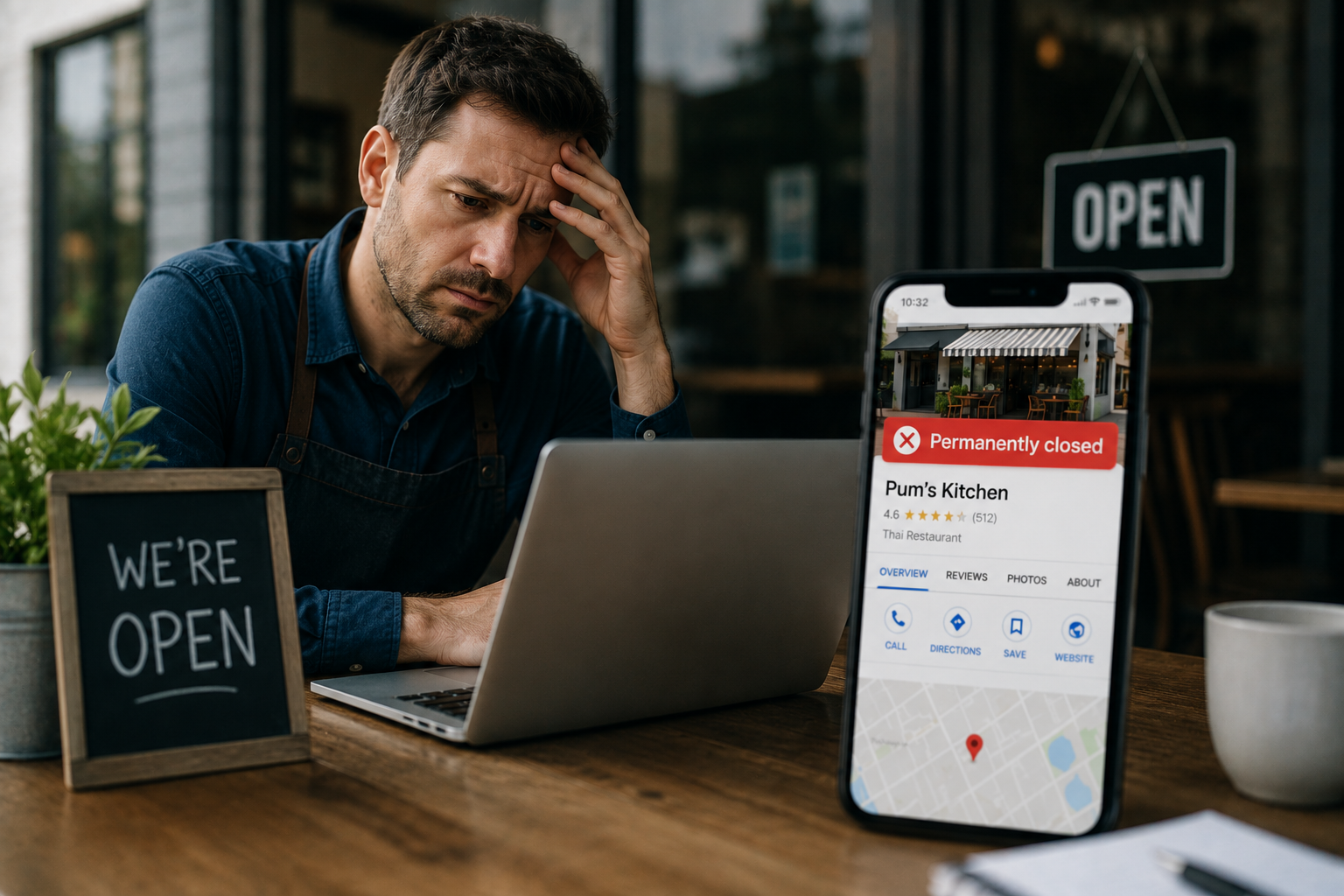
A Thai restaurant on Australia’s Sunshine Coast started losing customers in late November, with no obvious cause. Regular diners simply stopped showing up. The owner, Chris Pyatt, didn’t find out why until a longtime customer called to ask why Pum’s Kitchen had shut down. It hadn’t. Apple Maps had marked it permanently closed, and by the time Pyatt untangled the problem, the restaurant had lost roughly AU$12,000 in revenue over a single month.
A single unverified user edit, a stale third-party directory listing, or a contradictory schema tag can get a fully operational business marked “permanently closed” on Google or Apple Maps, sometimes without the owner ever knowing. AI Overviews, ChatGPT, and Perplexity inherit that wrong status directly and repeat it with total confidence to anyone who asks. Documented cases show real businesses losing thousands of dollars before a customer’s phone call revealed the problem. The fix has to start at the source listing, not with the AI system, and correction typically takes days to fully propagate.
A few years earlier, a rotisserie chicken restaurant in Portland, Oregon, went through nearly the same ordeal. Arrosto was alive, busy, and fully staffed, but Google’s mobile search results had quietly marked it as shut down after a single unverified user suggestion. The owner offered photos of chickens roasting and customers lined up at the counter as proof. Google’s response, according to reporting at the time, was that the feature was working as intended.
Neither of these businesses did anything wrong. Both found out from a customer, not from a dashboard alert. And in 2026, this exact “permanently closed” error doesn’t just sit quietly on a map anymore, it gets repeated with total confidence by every AI assistant that answers a question about the business.
How a Thriving Business Gets Marked Permanently Closed
The mechanism is almost always the same, and it rarely involves anything the business itself did. A single crowdsourced edit on Google Maps, submitted by one anonymous user or occasionally a competitor, can be enough to flip a listing’s status to permanently closed if the platform’s automated systems accept the suggestion without independently verifying it.
Third-party directory mismatches cause the same problem from a different angle. If a stale duplicate listing on Yelp, Bing Places, or a data aggregator shows a business as closed, Google’s systems can pull that signal and let it override an otherwise accurate profile. A contradictory schema tag on the business’s own website, sometimes left over from a redesign or a holiday closure notice nobody removed, can trigger the same automated flag.
None of these causes require malice, and most don’t even require a mistake on the business owner’s part. They require one outdated or inconsistent signal somewhere in a web of listings most owners never think to audit, because nothing about a normal, functioning business ever prompts them to check.
Why AI Assistants Repeat the Error With Total Confidence
A wrongly closed status doesn’t stay contained to a map pin anymore. Business owners have documented, directly in Google’s own Business Profile support community, cases of Google’s AI Overviews stating a business is permanently closed while it’s fully operational, and the pattern traces back almost every time to the same root cause: the underlying Business Profile or Maps listing was marked permanently closed, and the AI system inherited that status as fact.
That distinction matters enormously for how the fix works: correcting the source resolves it, but correcting the source takes real effort, and the AI system has no way to know the source itself is broken.
Independent AI assistants like ChatGPT and Perplexity compound this further when they browse the web for current information, since they can pull the same wrong status from the same corrupted listing or from a news article, a directory, or a social post that repeated the error before anyone corrected it. Once the wrong status is echoed across a few sources, every AI system checking those sources for corroboration finds the error looking confirmed rather than isolated.
The Real Cost of Being Marked Permanently Closed
Pum’s Kitchen lost AU$12,000 in a month before Chris Pyatt even fully understood what had happened, and the location pin on the map was wrong too, compounding the damage by sending the customers who did try to visit to the wrong place entirely. Arrosto’s owner described fielding a steady stream of phone calls asking whether the restaurant had closed, each one a customer who’d already decided not to show up and was calling only to confirm a decision already made.
The damage here isn’t abstract. It’s a phone that stops ringing, a dining room that stays quieter than it should be, and an owner who has no idea why until someone happens to mention it. Neither business found this through internal monitoring. Both found it by accident, through a customer’s question, which means for every business this has happened to and caught, there are almost certainly others still sitting on an incorrect “closed” status right now with no idea it’s costing them customers today.
How to Check If This Has Already Happened to You
Search the business name directly on Google and look at what the Knowledge Panel and Maps listing actually say, rather than assuming the profile still reflects reality. Ask ChatGPT, Perplexity, and Google’s AI Overviews directly whether the business is open, phrased the way a real customer would ask it, and check whether any of them hedge, contradict each other, or state that it’s permanently closed.
Check Apple Maps separately, since Apple’s data sources and Google’s aren’t the same, and a business can be marked permanently closed on one while showing correctly on the other. Search for the business name with slight variations too, since a duplicate or outdated listing under a marginally different name or old address can carry an incorrect closed status that keeps resurfacing even after the primary listing is fixed.
The Fix Sequence
Start at the source, not with the AI system itself. Log into the Google Business Profile dashboard, check the current listed status, and if it shows permanently closed incorrectly, use the “Suggest an edit” or “Report incorrect information” flow to mark it open, submitting supporting evidence like recent photos, a utility bill, or a business license if the platform requests it.
Search for duplicate listings under a slightly different name, address, or phone number, since a stale duplicate can keep showing closed even after the primary listing is corrected, quietly undermining the fix. Confirm the correction has actually taken hold on Google Search and Maps directly before assuming the problem is solved, since the fix showing in the dashboard doesn’t always mean it’s reflected publicly yet.
Only after the underlying listings are confirmed correct should the AI platforms be checked again. Ask the same questions across ChatGPT, Gemini, and Perplexity a few days after the correction, since propagation to these systems typically lags behind the correction on Google’s own properties by anywhere from a few days to a couple of weeks.
Recognizing a Permanently Closed Error vs. Fixing It
The table below separates the early warning signs from the actual correction steps, since conflating the two is a common reason this drags on longer than it should.
| Stage | What to Do | Where to Check |
|---|---|---|
| Detect | Search your own business name | Google, Apple Maps |
| Detect | Ask directly whether you’re open | ChatGPT, Perplexity, AI Overviews |
| Fix | Correct status, submit evidence | Google Business Profile dashboard |
| Fix | Find and correct duplicates | Yelp, Bing Places, data aggregators |
| Verify | Re-ask the same questions | All AI platforms, a few days later |
Preventing a Permanently Closed Error From Happening Again
There’s no way to fully prevent a random user-submitted edit from ever triggering a permanently closed flag, since that mechanism exists on the platform side, not the business’s. What a business can control is how quickly it notices, and a brief monthly check, searching the business name and asking one or two AI assistants directly whether it’s open, catches this within weeks instead of months.
Keeping information consistent across the business’s own website, Google Business Profile, and major directories reduces how often an automated system finds a contradictory signal to act on in the first place. A business that’s already inconsistent across these sources is a more likely candidate for an automated system to incorrectly flag as permanently closed, simply because inconsistency itself reads as a signal that something has changed.
Key Takeaways
- Businesses have lost thousands of dollars in real, documented cases after being incorrectly marked “permanently closed” on Google Maps or Apple Maps, often from a single unverified user edit.
- AI Overviews and independent AI assistants inherit this error directly from the underlying Business Profile or Maps listing rather than inventing it, which means the fix has to start at the source, not with the AI system.
- Most businesses discover this by accident, through a customer’s question, rather than through any internal monitoring, which means the true scale of the problem is almost certainly larger than what’s been publicly documented.
- The fix sequence is source correction first, duplicate listing cleanup second, and AI platform verification last, since checking AI answers before the source is fixed wastes time on a correction that hasn’t propagated yet.
- A brief monthly check across Google, Apple Maps, and one or two AI assistants is the most realistic way to catch this early, since there’s no way to fully prevent the underlying trigger.
Frequently Asked Questions
How would I even know my business was marked permanently closed?
Most owners find out through a customer asking why they’re closed, since there’s no automatic alert when a listing status changes to permanently closed. A brief monthly search of the business name across Google, Apple Maps, and a couple of AI assistants is currently the most reliable way to catch it proactively.
How long does it take for a correction to reach AI Overviews and ChatGPT after fixing Google Business Profile?
It varies, but businesses have reported corrections taking anywhere from a few days to a couple of weeks to fully propagate, and duplicate listings that weren’t also corrected can keep the error resurfacing even after the main fix.
Can a competitor really mark my business as permanently closed?
Documented cases suggest a single user-submitted edit, whether from a competitor, a disgruntled customer, or simply a confused user, can be enough to trigger a permanently closed status change if the platform’s automated systems accept it without independent verification.
Is this only a problem for restaurants and physical retail locations?
No, though the documented cases tend to involve physical locations since map-based status is the most direct trigger. Any business with a Google Business Profile, including service businesses without a storefront, can be affected by the same underlying mechanism.
Does fixing Google Business Profile automatically fix what AI assistants say?
Not immediately. The correction has to propagate from the source listing to each AI system separately, which is why checking AI answers again a few days after the source fix, rather than assuming it’s automatically resolved, is a necessary final step.
Should I set up ongoing monitoring instead of checking manually every month?
For a single-location business, a manual monthly check is usually enough to catch this early. Businesses with multiple locations, or ones that have already been affected once, tend to benefit from more structured, ongoing monitoring, since the manual approach doesn’t scale well once there’s more than a handful of listings to track across platforms.
Conclusion
Two business owners lost real revenue, in one case a documented AU$12,000 in a single month, because of a permanently closed error neither of them caused and neither discovered until a customer happened to mention it. In 2026, that same error doesn’t stay contained to a map pin, it gets repeated with total confidence by every AI system a prospective customer might ask, often without a single visible warning sign on the business’s own website or dashboard.
The businesses least likely to catch a permanently closed error early are the ones assuming their online presence is fine simply because nothing looks obviously broken from the inside. A five-minute monthly check across Google, Apple Maps, and a couple of AI assistants is a small enough habit to build that there’s little excuse not to, especially once the actual cost of missing it has a real number attached. The alternative is finding out the same way Pum’s Kitchen and Arrosto did, from a customer, after the damage is already done.
Catching and correcting exactly this kind of AI visibility error, before it costs a business real customers, is core to how a properly run AI SEO program operates. If this feels like a lot to monitor alone, our guide to AI SEO services for small businesses covers what ongoing monitoring should actually include.
