
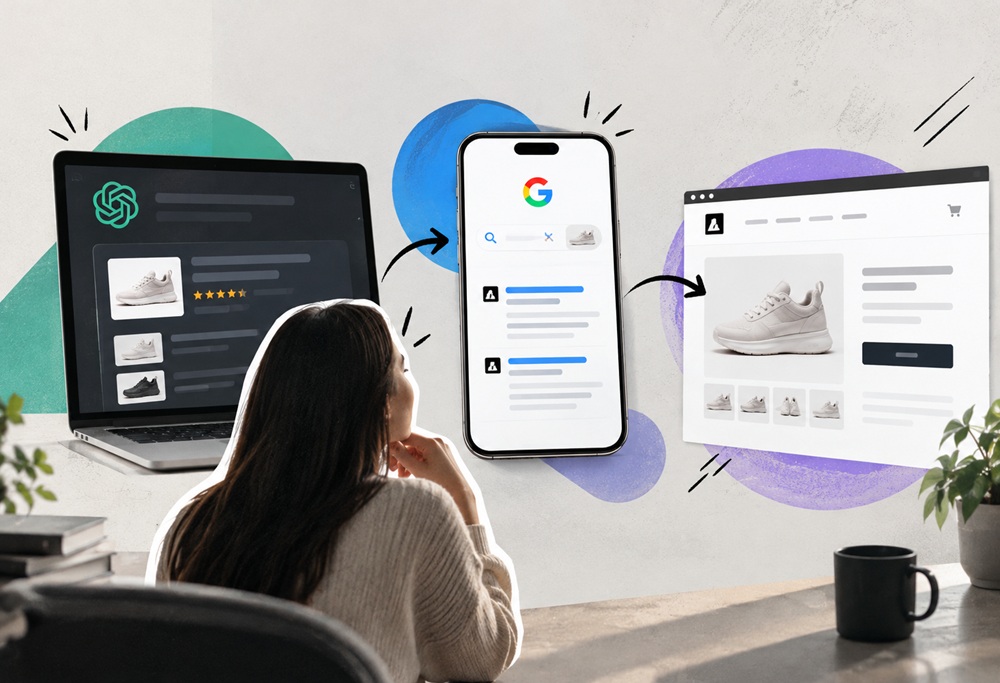
Branded search is the quiet step between an AI recommendation and a phone call. An assistant names your business, the buyer isn’t quite ready to trust it, and they type your name into Google. What they see next is a page you’ve probably never looked at. If it shows a stale listing, a competitor’s ad and a thin snippet, the lead you earned can go cold.
TL;DR
- Many buyers check an AI recommendation by searching the business name. Your branded search results page is the second click.
- Stale listings, competitor ads on your name, weak titles and thin review snippets can lose a buyer who was already sold.
- Audit it in a private window, fix the six common problems, and decide whether a small branded search ad is worth it.
- Track branded search over time in Search Console, and ask new customers how they found you.
What Branded Search Is and Why the Second Click Matters
Branded search means someone searches for your business name, or your name plus a word like “reviews” or “pricing”. These searches have always been valuable because the person already knows who you are. They’re closer to buying than almost any other kind of query.
What’s new is how often the name comes from an AI answer. A person asks an assistant for a recommendation, gets a name, and then checks it. Google shows what the wider web says about you, which is exactly what a cautious buyer wants. I can’t give you a hard figure for how many people do this, and one report on ChatGPT brand mentions sending users back to search is worth reading for the direction, though you should check its method yourself.
The point for digital marketing is simple. The AI answer earned the interest. The branded search page decides whether it turns into a visit.
Why Buyers Check After AI Names You
Trust. An assistant gives an answer in a sentence or two. A buyer spending real money wants more evidence. They want to see a website, some reviews, a map pin and maybe a photo of the premises. All of that sits on the branded search page.
There’s also habit. Most people have spent twenty years typing a name into Google to see if something is real. An AI recommendation doesn’t change that reflex. It just adds a step in front of it.
Audit Your Branded Search Results in Ten Minutes
Do this in a private window so your own history doesn’t skew the result. Add your location if you serve a local area.
- Search your exact business name. Note what appears in the top ten and what sits above them.
- Search the name plus “reviews”, then plus “pricing” or “cost”, then plus your town.
- Look at the map panel, if there is one. Check the hours, phone number, services and photos.
- Check whether any ad appears above your site, and who placed it.
- Click your own listings. Does each one say what you do in plain words and link to the right page?
- Repeat on a phone. Most buyers see the mobile version first.
Screenshot each result. Those pictures are the most persuasive thing you can show a boss or a client, because they show what a real buyer sees.
Six Things That Go Wrong on a Branded Search Page
1. Old details in your Google Business Profile
Wrong hours, an old phone number or a service you stopped offering. A buyer who calls and gets a dead number rarely tries twice.
2. A competitor’s ad above your name
Competitors can bid on your business name, and some do. Their ad can sit above your organic listing, which means your own recommendation sends traffic to them.
3. A weak page title and snippet
If your homepage title is just your name, or “Home”, Google has little to show. A good title says what you do and where, in plain words.
4. No sitelinks
Sitelinks are the extra links under a result. They appear when your site structure is clear and your key pages are easy to identify. Without them, you look smaller than you are.
5. Stale directory listings
Old profiles on directories often rank for your name, and often carry out-of-date information. They also feed assistants, so a mistake there can show up twice.
6. Thin or mixed reviews on the first screen
You can’t control what customers write, but you can control whether you ask happy ones to review you, and whether you reply to the unhappy ones. A silent profile with two old reviews looks abandoned.
What the Buyer Sees, the Risk and the Fix
Use this table when you go through your own branded search results.
| What the buyer sees | Risk | Digital marketing fix |
|---|---|---|
| Wrong hours or phone number | Lost call, lost trust | Update Google Business Profile and main directories |
| Competitor ad above your name | Traffic leaks to a rival | Run a small branded search ad, if the numbers justify it |
| Page title is only the business name | Weak snippet, low click rate | Rewrite titles and descriptions in plain words |
| No sitelinks | Looks small and unclear | Tidy site structure and navigation labels |
| Old directory listing ranks first | Outdated info repeats | Claim, update or remove old listings |
| Few or unanswered reviews | Looks inactive | Ask for reviews and reply to every one |
Should You Bid on Your Own Name?
It depends on what you find. A branded search ad on your own name is usually cheap, because few competitors bid against you. It protects the top of the page and lets you control the headline, sitelinks and call button.
It’s most worthwhile when a competitor already bids on your name, when you run local campaigns where the map and ads crowd the page, or when you’re sending offline traffic to a name people will search. If nobody competes for your name and you already hold the top organic spot, the ad may add little. Check your own account data before you spend, and read the ad platform’s rules on trademarks.
Fix Your Branded Search Page in 30 Minutes
You can improve the page quickly without a project. Work through this list in order.
- Correct every detail in your Google Business Profile, including hours, phone, services and photos.
- Rewrite your homepage title so it says what you do, where, and your name.
- Check the top five directory results for your name and fix or claim them.
- Reply to the last five reviews, good or bad.
- Decide whether a small branded ad is worth testing for a month.
- Save the new screenshots next to the old ones.
A Branded Search Scenario: The Dental Practice
Here’s an illustrative case, not a real client. A dental practice is recommended by an assistant for a nervous first-time patient. The patient searches the practice name. The first thing on the page is an ad from a larger clinic across town. Below it sits the practice’s own site, with the title “Home”. The map shows hours from two years ago.
Nothing about the practice’s care has changed. But the patient now sees a bigger competitor first, an unclear snippet and a map pin that might be wrong. They book with the competitor. The practice never learns why the enquiry never arrived, because the loss happened on a page it never looked at.
The fix takes an afternoon. Correct the map details, rewrite the title as “Family dentist in [town] | [Practice name]”, claim the top directory listings and test a small branded search ad. None of it is clever. It’s the second click, tidied up.
What to Write in Your Business Profile and Page Titles
Plain wording does most of the work. For the profile description, say what you do, who you serve and where, in two or three sentences. For page titles, put the plain label first and your name second, for example “Emergency plumber in Leeds | Smith Plumbing”.
Keep the same wording across your site, your profile and your main directories. When the name, services and description match everywhere, branded search results look consistent and trustworthy, and an assistant has fewer chances to repeat a mistake.
How Branded Search and AI SEO Work Together
Treat these as two halves of one journey. AI SEO gets the assistant to name you correctly. Branded search makes sure the next click confirms it. If the AI describes you one way and your branded search page tells a different story, the buyer sees a mismatch and walks.
That’s the Consistency layer in our AI Trust Stack showing up in the real world. The same name, services and description need to appear in AI answers, on your site, in your profiles and on the branded search page. An AI SEO agency can audit the AI side while your digital marketing team tidies the search side, and the two should share one set of facts.
How to Track Branded Search Over Time
You don’t need an expensive tool. Three free sources are enough to see the trend.
- Google Search Console. Filter queries that contain your business name. Watch impressions, clicks and click rate.
- Google Business Profile insights. See how many people searched for you by name and what they did next.
- A “How did you hear about us?” field. Add it to your enquiry form and phone script. When people answer “ChatGPT” or “I searched your name”, you’ve found the pattern.
A rise in branded search after you improve your AI visibility is a good sign. It suggests more people are hearing your name and checking it. Keep in mind that this is a correlation, and other things, such as seasonality, can move it too. For a wider view of how agencies approach this shift, see this overview of AEO optimization in 2026.
Common Branded Search Mistakes
- Never looking. Most owners haven’t searched their own name in months.
- Fixing the site and ignoring the profiles. The buyer sees both.
- Bidding without checking. A branded ad can be a waste if no one competes for your name.
- Letting reviews sit. Unanswered reviews look like neglect.
- Using different names everywhere. “Smith & Co”, “Smith and Company” and “Smith Co Ltd” split your signals.
If you want to see how this fits into a bigger plan, our companion blog on AI SEO professionals shows how specialists approach it, and Kinsh Technologies can run the audit for you through our digital marketing services.
Key Takeaways on Branded Search
- Branded search is where an AI recommendation is confirmed or lost.
- Audit your results in a private window, on desktop and mobile.
- Fix the six common problems: profile details, competitor ads, titles, sitelinks, old listings and reviews.
- Bid on your own name only when the numbers justify it.
- Track branded search in Search Console and ask customers how they found you.
Frequently Asked Questions
What is branded search?
It’s when someone searches for your business name, or your name plus a word like reviews or pricing. These searchers already know who you are, so they tend to be close to buying.
Why does branded search matter for AI recommendations?
Many people check an assistant’s recommendation by searching the name. The results page they see can confirm the recommendation or put them off, so it needs to match what the AI said.
Should I run ads on my own business name?
Sometimes. It’s usually cheap and protects the top of the page, which matters most when a competitor bids on your name. If nobody does and you already rank first, the ad may add little, so test it for a month and compare.
See What Buyers See When They Google You
We audit your branded search page and the AI answers that lead to it, then fix the gaps in order of impact.
