
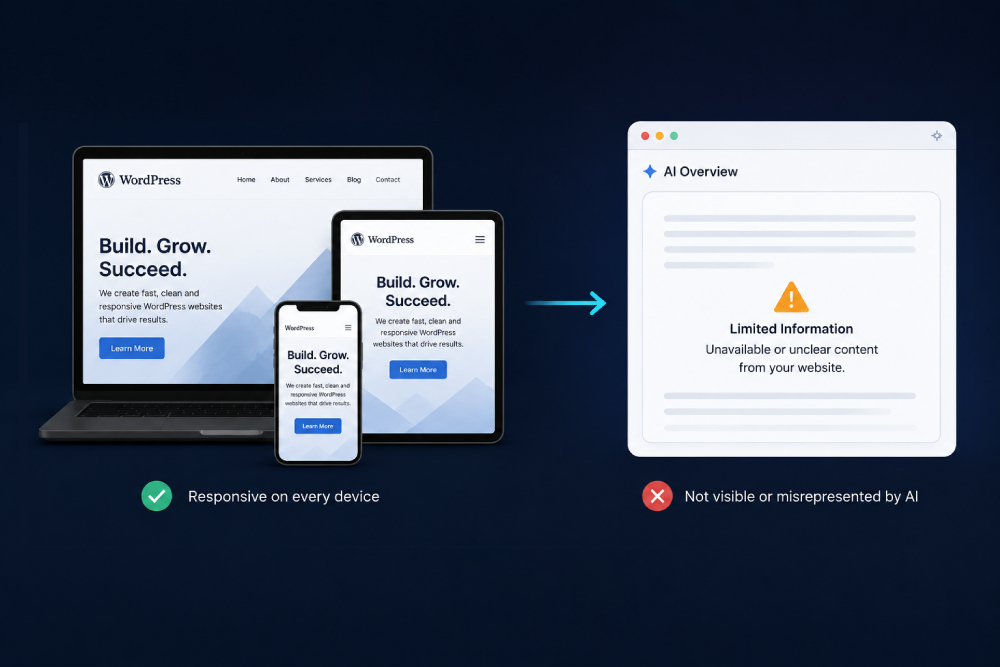
A business owner gets told their WordPress site is responsive, checks it on their own phone, sees it looks exactly right, and reasonably assumes the job is done. Nobody mentions that “looks right to a human eye” and “readable by an AI system” are two entirely different tests, and a site can pass one completely while failing the other without anyone noticing for months.
This gap matters more every quarter, because AI crawlers and AI-driven search increasingly decide whether a business gets found at all. A site that renders beautifully for a visitor but hides its actual content behind menus, tabs, and scripts an AI crawler cannot execute is invisible in exactly the place that is starting to matter most.
TL;DR
Responsive web design guarantees a layout adapts to screen size. It does not guarantee an AI crawler can actually read the content behind it. Hamburger-only navigation, accordion-hidden text, scroll-triggered lazy loading, and heavy JavaScript themes are the most common culprits on WordPress sites, quietly hiding content from AI systems while looking perfectly polished to a human visitor. The fix is a set of targeted rendering adjustments, not a full rebuild.
What “Responsive” Actually Means (and What It Doesn’t)
Responsive web design means a layout adapts to different screen sizes: text reflows, images resize, navigation collapses into a menu on smaller screens. This is a real, necessary standard, and any competent WordPress web development process should deliver it as a baseline, not an upsell.
What responsive design does not automatically guarantee is that the content behind that adaptive layout is actually reachable by something other than a human finger. A hamburger menu that looks clean on mobile can still hide links a crawler never follows. An accordion that tidies up a long page can still hide text a crawler never reads. Responsive solves how a page looks. It says nothing about what a non-human visitor can actually access.
The Blind Spot: Responsive for Humans, Invisible to AI
Google’s crawlers have gotten reasonably good at executing JavaScript and finding content behind common interactive patterns, though even Google’s own documentation has historically recommended not relying on this by default. AI crawlers built by OpenAI, Perplexity, and Anthropic are a different story: many operate closer to a simple content fetch than a full browser, and content that only appears after a click, a scroll, or a script finishing execution is frequently never seen at all.
Four Common Culprits Hiding Inside “Responsive” WordPress Sites
None of these are exotic problems. They are common defaults in mobile-first WordPress themes, chosen because they look clean, without anyone checking what happens when JavaScript doesn’t run.
1. Hamburger-Menu-Only Navigation
When every page link lives only inside a JavaScript-driven hamburger menu, with no equivalent links present in the raw page markup, a crawler that doesn’t execute that script never discovers those pages exist at all. This can quietly remove entire sections of a site from AI visibility without a single broken link ever appearing to a human visitor.
2. Accordion and Tab Panels That Hide Text
Collapsing FAQs, service details, or specifications into accordions and tabs is a legitimate way to manage a crowded mobile screen. The problem is when that content is missing from the page’s actual HTML until a click populates it, since a crawler that doesn’t click sees nothing where a human sees a working, tidy interface.
3. Lazy-Loaded Content That Only Appears on Scroll
Lazy-loading images for speed is good practice. Lazy-loading core text content so it only renders once a visitor scrolls near it is a different decision, and one that can leave the same text absent from what a crawler receives on first load.
4. Heavy JavaScript Themes and Page Builders
Some WordPress themes and builder plugins render a large share of the page client-side, meaning the initial HTML response is thin and the real content only appears after scripts finish running in a browser. A human’s browser handles this instantly. A simpler crawler fetch may never get that far.
What a Human Sees vs. What a Bare Crawler Fetch Receives
The table below shows the practical gap between the polished, responsive experience a visitor gets and what a simplified crawler fetch of the same page can actually receive.
| Page Element | What a Visitor Sees | What a Bare Crawler May Get |
|---|---|---|
| Navigation menu | Full menu after tapping the hamburger icon | No links at all if not present in raw HTML |
| FAQ / accordion text | Answer appears after tapping the question | Missing if injected only on click |
| Below-the-fold content | Loads smoothly while scrolling | Absent if it only loads on scroll trigger |
| Pricing / service details | Rendered instantly by the browser | Missing if rendered only via client-side script |
How to Test Whether Your Own WordPress Site Has This Gap
Right-click any page and choose “View Page Source,” then search for a sentence you know is visible on the live page. If that sentence is missing from the raw source, it is likely being injected by JavaScript after the fact, which is exactly the pattern that can hide it from simpler crawlers.
Google Search Console’s URL Inspection tool includes a “view crawled page” option that shows roughly what Google’s crawler received, which is a useful proxy check even though it doesn’t perfectly mirror every AI crawler’s behavior. Disabling JavaScript entirely in a browser’s developer tools and reloading the page is the most direct test: whatever disappears is content living entirely on the far side of a script execution step.
Fixing It Without Rebuilding the Entire Site
The fix is rarely a full rebuild. It is usually a specific set of adjustments layered onto the existing responsive design rather than a replacement for it.
Navigation links should exist in the page’s actual HTML markup even if they are visually hidden behind a hamburger icon on small screens, so a crawler can find them regardless of whether it runs the menu’s JavaScript. Accordion and tab content should be present in the underlying HTML and merely hidden with CSS rather than injected only on interaction, which keeps the tidy mobile interface while keeping the text crawlable. Core page content, especially pricing, service descriptions, and anything a business wants an AI system to quote accurately, should render on the server rather than depend entirely on client-side scripts to appear.
This is exactly the kind of adjustment layered on top of proper WordPress web development work, since it requires understanding both how a theme renders content and how to restructure that rendering without breaking the visual design a business already approved.
Why This Shows Up More Often in WordPress Specifically
WordPress powers a large share of small business websites precisely because page builders make responsive layouts fast to assemble, but that same convenience is what introduces this gap. Builder plugins frequently prioritize visual flexibility and animation over lean, crawlable markup, and it is easy to add an attractive accordion or slider without ever checking what the underlying HTML actually contains.
None of this is a reason to avoid WordPress. It is a reason to treat crawlability as a specific, separate checklist item during development rather than assuming a responsive, good-looking build has automatically covered it. The same discipline that improves conversion rates through frontend changes, as covered in our case study on lifting conversions through frontend-only changes, applies here: small, specific adjustments to how a page is built can matter more than a full redesign.
Key Takeaways
- Responsive web design guarantees a layout adapts to screen size, but it does not guarantee content is reachable by something other than a human finger.
- AI crawlers frequently behave closer to a simple content fetch than a full browser, and content that only appears after a click or script execution can be invisible to them.
- Hamburger-only navigation, accordion-hidden text, scroll-triggered lazy loading, and heavy JavaScript themes are the most common causes of this gap on WordPress sites.
- Viewing page source and disabling JavaScript are simple, direct ways to test whether a site’s own content is actually crawlable.
- The fix is usually a set of targeted adjustments to how content is rendered, not a full site rebuild.
- This gap is especially common on WordPress because page builders prioritize visual flexibility over lean, crawlable markup by default.
Frequently Asked Questions
Does Google penalize a responsive site for hiding content behind JavaScript?
Not automatically, since Google’s crawler generally can execute JavaScript, but Google’s own guidance has long recommended not relying on this exclusively. Other AI crawlers are less consistent about executing scripts, which is where the practical risk is highest.
Is this the same issue as a slow-loading website?
Related but different. A slow site delays when content appears; this issue is about content that may never appear at all in a crawler’s fetch, regardless of how fast the rest of the page loads.
Can I check this myself without technical help?
The page source and disable-JavaScript tests described above require no coding knowledge, just a browser’s built-in developer tools. Fixing what those tests reveal usually does require a developer familiar with the specific theme or builder in use.
Does this apply to every WordPress theme and page builder?
No. Some themes and builders already render core content in the server-side HTML by default. The risk is highest with heavily animated, JavaScript-driven themes and with content deliberately hidden behind accordions, tabs, or off-canvas menus.
Should I avoid page builders entirely to avoid this problem?
Not necessarily. The issue is not page builders themselves but specific implementation choices within them. A builder-based site can be just as crawlable as a hand-coded one when navigation and core content are structured correctly underneath the visual design.
Conclusion
A site can be genuinely, correctly responsive and still be quietly invisible to the AI systems an increasing share of customers now rely on. The two problems look identical from a phone screen and are solved by completely different fixes, which is exactly why this gap goes unnoticed for so long.
At Kinsh Technologies, every WordPress build treats crawlability as a specific checklist item alongside responsive design, not an afterthought discovered months later.
